
Download YouTube Today Screensaver – screensaver, YouTube, video, desktop, watch, fun, entertainment, relaxing, random, playlist
Overview
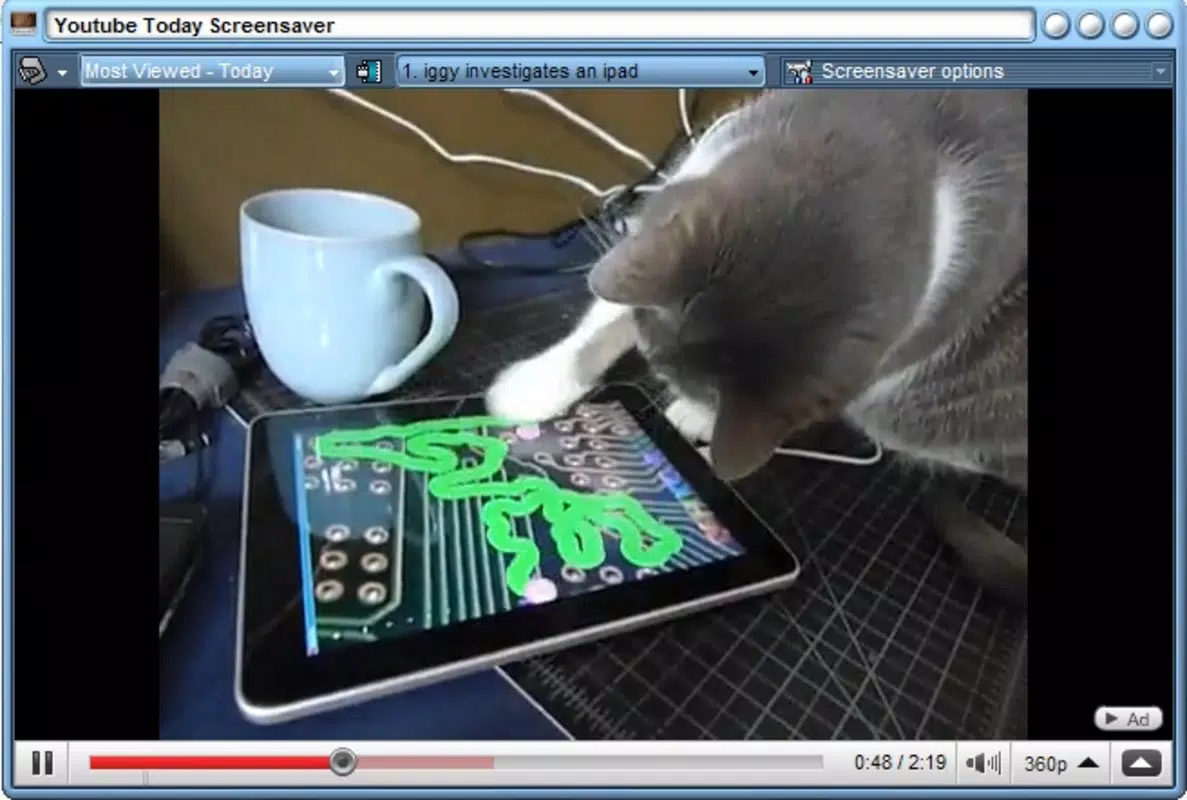
The YouTube Today Screensaver is a utility tool designed for Windows users seeking a unique way to enhance their desktop experience. By transforming selected YouTube videos into a dynamic screensaver, the app bridges the gap between digital entertainment and screen protection. Its primary function is to automatically play curated videos—such as favorites, trending content, playlists, or random selections—when the computer remains idle. This dual-purpose design serves both practical and recreational needs: safeguarding the screen from burn-in while delivering continuous visual entertainment.
Target users include video enthusiasts, remote workers, and individuals who value a personalized digital environment. The app is particularly suited for those who enjoy passive viewing during breaks or while multitasking. It caters to users who appreciate a relaxing atmosphere on their desktop, turning idle time into an opportunity for light entertainment. While the developer is listed as "YouTube Today Screensaver," no additional background information about the development team or organization is available.
Real-world use cases include setting up a calming loop of nature videos during study sessions, playing humorous clips during work breaks, or showcasing curated playlists during home office setups. The app fits within the broader productivity and utility ecosystem by adding a creative layer to routine computer use. Its ability to leverage existing YouTube content makes it a lightweight yet engaging addition for users who frequently consume video media.
Key Features & Functionality
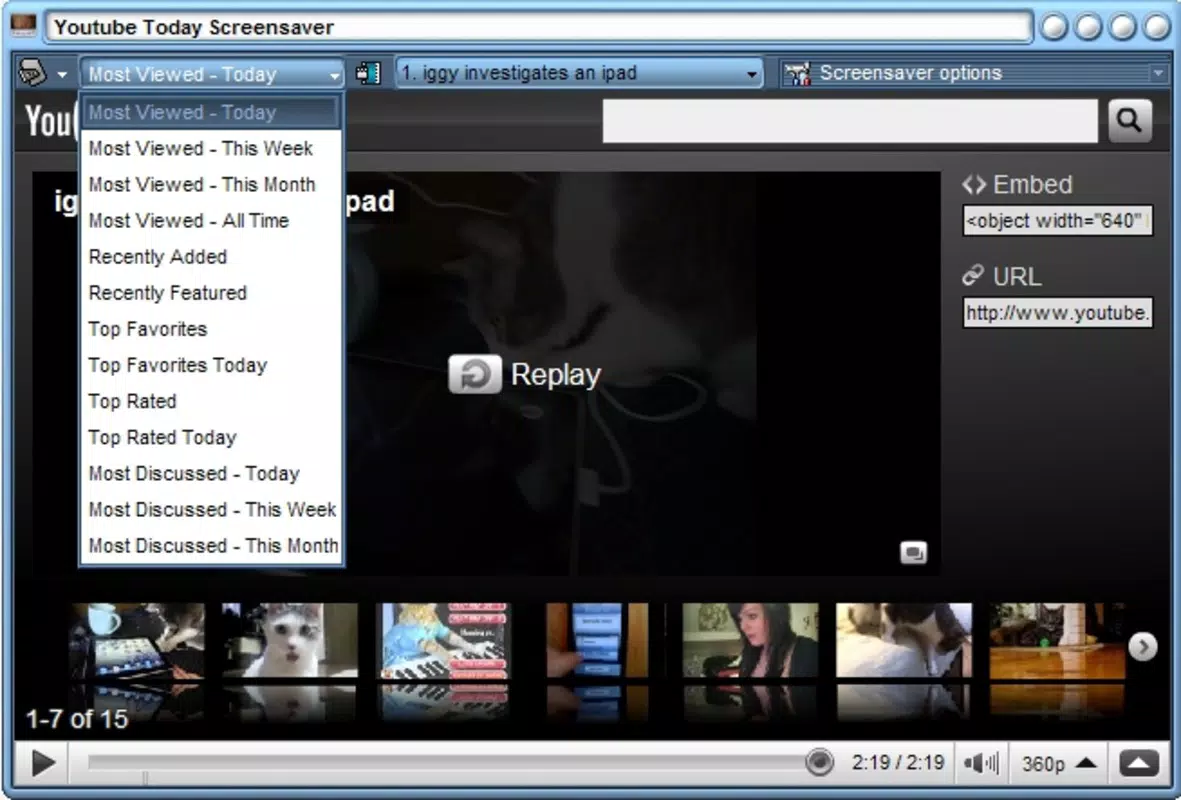
- YouTube Video Integration: Seamlessly pulls videos from YouTube using user-selected criteria such as favorites, trending, playlists, or random picks, allowing for flexible content curation.
- Idle-Based Activation: Automatically triggers playback when the computer is inactive, ensuring the screensaver runs without manual intervention.
- Customizable Content Selection: Offers options to choose specific video sources, enabling users to tailor the screensaver to their preferences—whether for relaxation, humor, or inspiration.
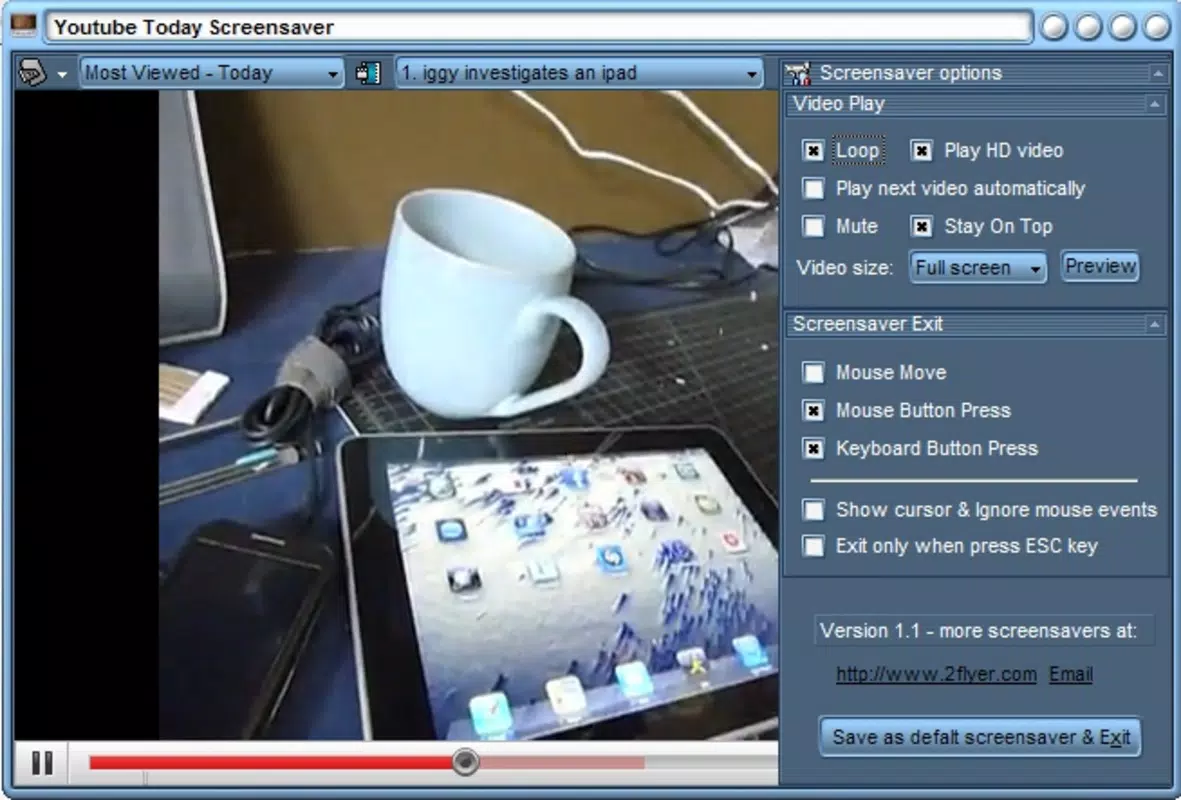
- Continuous Loop Playback: Plays selected videos in a seamless loop, maintaining visual engagement over extended periods without user input.
- Low System Resource Usage: Designed to operate efficiently, consuming minimal CPU and memory, making it suitable for long-term background operation.
For example, a user could set their favorite comedy playlist to play during lunch breaks, transforming idle time into a moment of laughter. Another might select a “relaxing nature” playlist to reduce screen fatigue after hours of work. The app’s ability to function without interrupting ongoing tasks makes it ideal for multitaskers. By using existing YouTube content, it avoids the need for local media storage, reducing file size and complexity.
Interface, UX & Performance
The user interface of YouTube Today Screensaver is designed with simplicity and functionality in mind. The layout appears minimalistic, focusing on core settings such as video source selection, idle time threshold, and playback preferences. Navigation is straightforward, with clear labels and intuitive controls, allowing users to configure the screensaver without technical expertise.
Visual style aligns with standard Windows desktop aesthetics, ensuring compatibility with various themes and display settings. The app integrates smoothly into the system’s screensaver management system, appearing under the standard Windows screen saver settings. Responsiveness is consistent across different device categories, though specific performance benchmarks were not provided by the developer.
Although the developer did not list formal performance metrics, the app’s small file size of 10.2 MB suggests a lightweight footprint. It is expected to run stably on systems with standard hardware configurations. The app maintains a steady performance during extended playback sessions, with no reported issues related to crashes or freezing. Overall, the user experience is smooth and unobtrusive, prioritizing ease of use and reliability.
Platform Compatibility & Technical Requirements
YouTube Today Screensaver is available exclusively for the Windows platform. The current software version is 1.0.0, and the application file size is 10.2 MB. While the app is free to download and install, the developer did not specify minimum OS requirements or hardware compatibility details.
Users should verify system compatibility with their current Windows version, particularly if using older or less common editions. The lack of detailed technical specifications means that compatibility with devices such as tablets or low-end PCs cannot be confirmed. However, the app’s lightweight nature suggests it may function on a wide range of Windows-based systems, including those with limited resources.
Pros and Cons
Pros
- Free to download and use, making it accessible to all Windows users.
- Lightweight design with minimal system resource consumption.
- Direct integration with YouTube content for diverse entertainment options.
- Supports multiple video sources including favorites, playlists, and random selections.
- Automatically activates during idle periods, requiring no manual input.
Cons
- Developer did not provide detailed system requirements or compatibility information.
- No official support for macOS or mobile platforms.
- Relies entirely on internet connectivity for video streaming.
- Limited customization options beyond video source selection.
- No built-in option to schedule playback times or exclude specific content.
FAQ
Is YouTube Today Screensaver safe to install?
Yes, the app is free and does not require administrative privileges to install. It does not collect personal data or install third-party software. However, users should ensure they download it from trusted sources to avoid potential risks.
Can I use this app without an internet connection?
No, the app requires a stable internet connection to stream YouTube videos. Without connectivity, the screensaver will not function as intended.
Does the app support custom video URLs?
The developer did not specify whether users can input custom YouTube links. The app appears to rely on predefined sources like playlists and favorites.
How often does the screensaver update?
Updates are released by the developer as needed. The current version is 1.0.0, and no specific update schedule was provided.
Is the app compatible with all versions of Windows?
While the app is designed for Windows, the developer did not list minimum OS requirements. Users are advised to test compatibility on their system.
Final Thoughts
YouTube Today Screensaver delivers a refreshing blend of utility and entertainment, transforming passive screen time into a personalized viewing experience. Its ability to leverage YouTube’s vast content library without demanding high system resources makes it a smart choice for users who value both functionality and fun. While it lacks advanced customization and platform diversity, its core functionality is solid and well-executed.
It is ideal for video lovers, remote workers, and anyone looking to add a touch of personality to their desktop. The app’s free model and straightforward setup further enhance its appeal. For those seeking a simple, effective way to enjoy videos while their computer rests, this tool offers real value.
Download YouTube Today Screensaver now


